Capurize vs GoFullPage
A tested comparison of Capurize and GoFullPage: capture results, editing, redaction and price, with screenshots from the same pages.
GoFullPage is one of the most popular full-page screenshot extensions, and its capture is solid. We captured two test pages with each extension: a long analytics report (sticky header, eight lazy-loaded charts, about 6,300 px of tables and a floating chat button) and an app-style help desk where the window does not scroll but the message thread does.
Tested on 30 October 2026 with GoFullPage 8.10 and Capurize 1.0.2 in Chrome, 1440 × 900 window. Results can change as both extensions are updated.
Side by side
| What we checked | GoFullPage | Capurize |
|---|---|---|
| Long page, sticky header, lazy-loaded charts | Complete and correctly stitched | Complete and correctly stitched |
| App-style page with a scrolling inner panel | Whole thread captured | Whole thread captured |
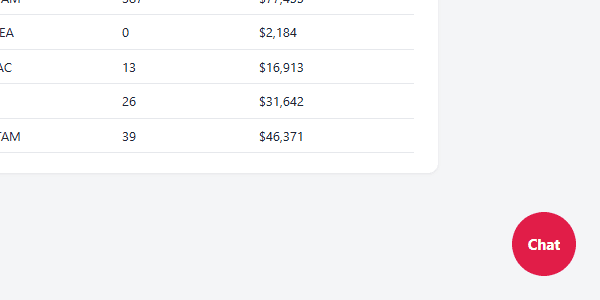
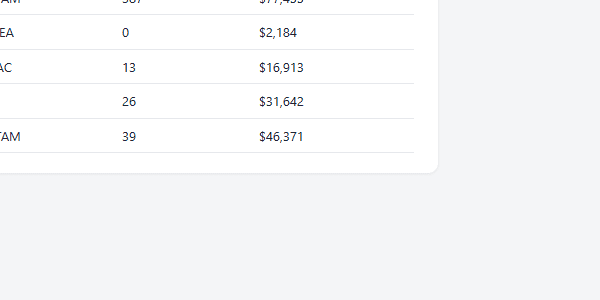
| Floating chat button | Included in the image | Hidden by default (setting) |
| Capture modes | Full page from one click | Full page, visible area, dragged region, single element, scrolling panel |
| Crop, annotate, edit | Premium plan | Included |
| Blur or pixelate sensitive data | Not in the free version | Included, burned into the export |
| Numbered steps, watermark, signature | Not in the free version | Included |
| PDF export | Yes, with Letter, Legal and A4 sizes | Yes, with automatic page splitting and A4 or Letter |
| Account required | No | No |
Floating widgets
Pages with a chat bubble or “back to top” button pinned to the corner leave that widget in the final image. Capurize hides fixed and sticky elements after the first screen, so the header appears once and floating widgets are left out. You can switch this off in Options.
Scrolling panels in web apps
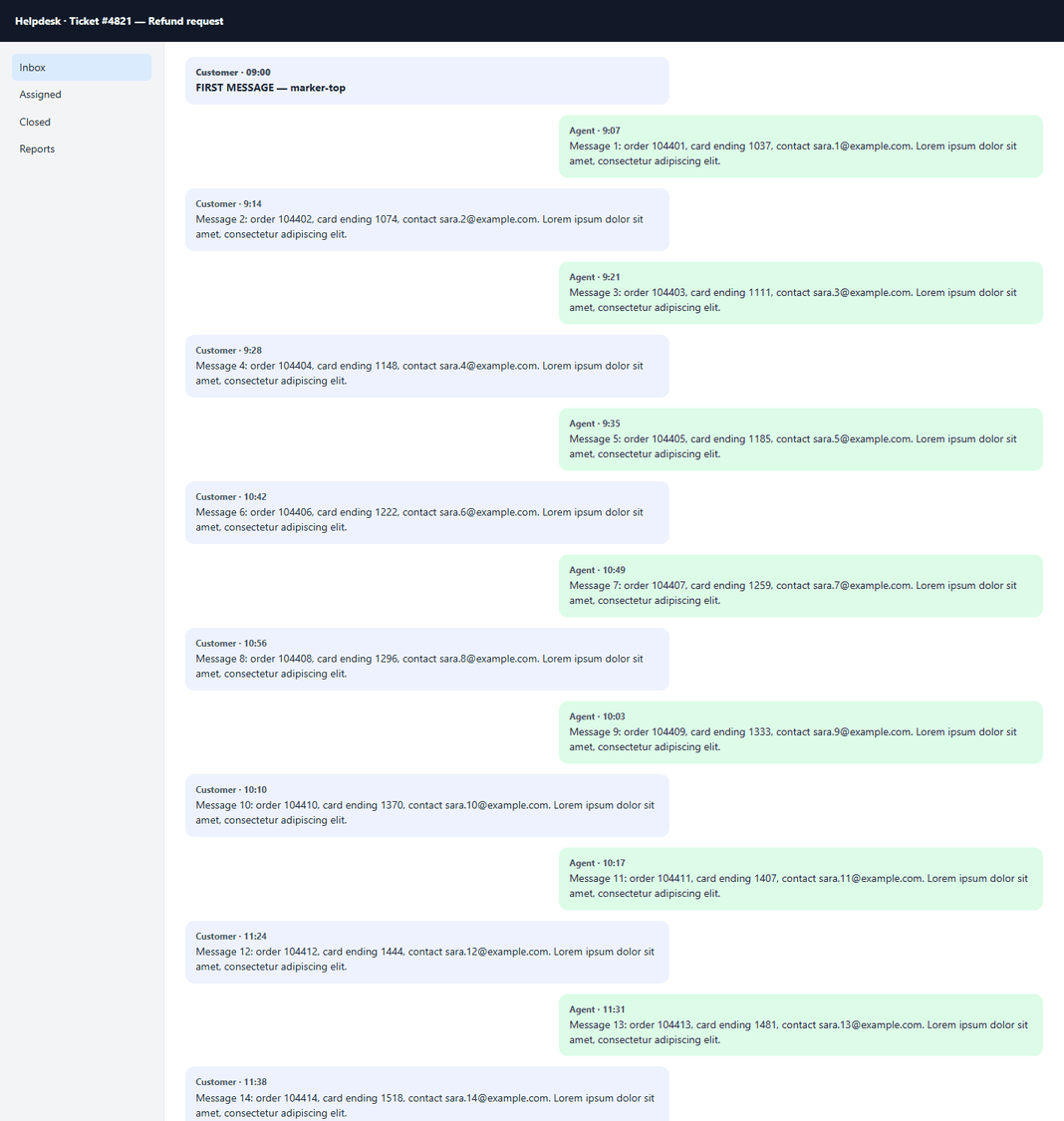
In mail, chat and dashboard apps the window itself does not scroll; an inner panel does. Both extensions detected the message thread on our help desk page and captured all 42 messages, with the header and sidebar intact.
Which one should you use?
GoFullPage fits if…
- You only ever need a full-page PNG or PDF and never edit it.
- You already pay for GoFullPage Premium.
Capurize fits if…
- You annotate or redact screenshots before sharing them.
- You need to capture a region, one element, or a scrolling panel instead of the whole page.
- You want numbered steps, watermarks or signatures without a subscription.
Questions
Is Capurize a free GoFullPage alternative?
Yes. Capurize captures full pages, regions, elements and scrolling panels, and its editor (annotation, redaction, numbered steps, watermark, PDF export) is free during launch. No account is needed.
Are the captures as good as GoFullPage?
On our test pages the full-page captures were identical. Capurize additionally hides floating widgets such as chat buttons by default.
Can I edit a GoFullPage capture in Capurize?
Yes. Open Capurize Studio and use Open or Paste to bring in any PNG, JPEG or PDF, then annotate, redact and export it.
Related guides
How to take a full-page screenshot in Chrome (3 ways)
Three reliable ways to screenshot an entire web page in Chrome, including the hidden DevTools command, and when each one is the right choice.
How to redact sensitive information in screenshots safely
Why a black box isn’t always enough, the difference between blur, pixelate and solid redaction, and a checklist before you share.
How to screenshot an entire chat or scrolling panel
Capture a complete chat thread, sidebar or scrolling table, not just the part that fits on screen.
How to save a web page as a multi-page PDF
Turn a long web page into a clean, paginated PDF that looks exactly like the page, with page breaks between lines of text.