Updated October 28, 2026 · 5 min read
Screenshots often contain more than you intend to share: email addresses, names, account numbers, internal URLs. Covering them is easy to get wrong.
Why a black box can fail
- In editable formats (layered images, slides, many PDFs), a drawn box is a separate object. Anyone can move or delete it and read what is underneath.
- In PDFs, text under a shape can often still be selected, copied or found with search.
- Light blur on large text can sometimes still be read.
Safe redaction changes the actual pixels of the exported file, so the original content is no longer in it.
Redacting with Capurize
- Open the capture in Capurize Studio and choose the Blur & redact tool (B).
- Drag over each sensitive area.
- In the panel on the right choose Pixelate, Blur or Solid, and increase Strength for small text.
- Export. The redaction is written into the image pixels.
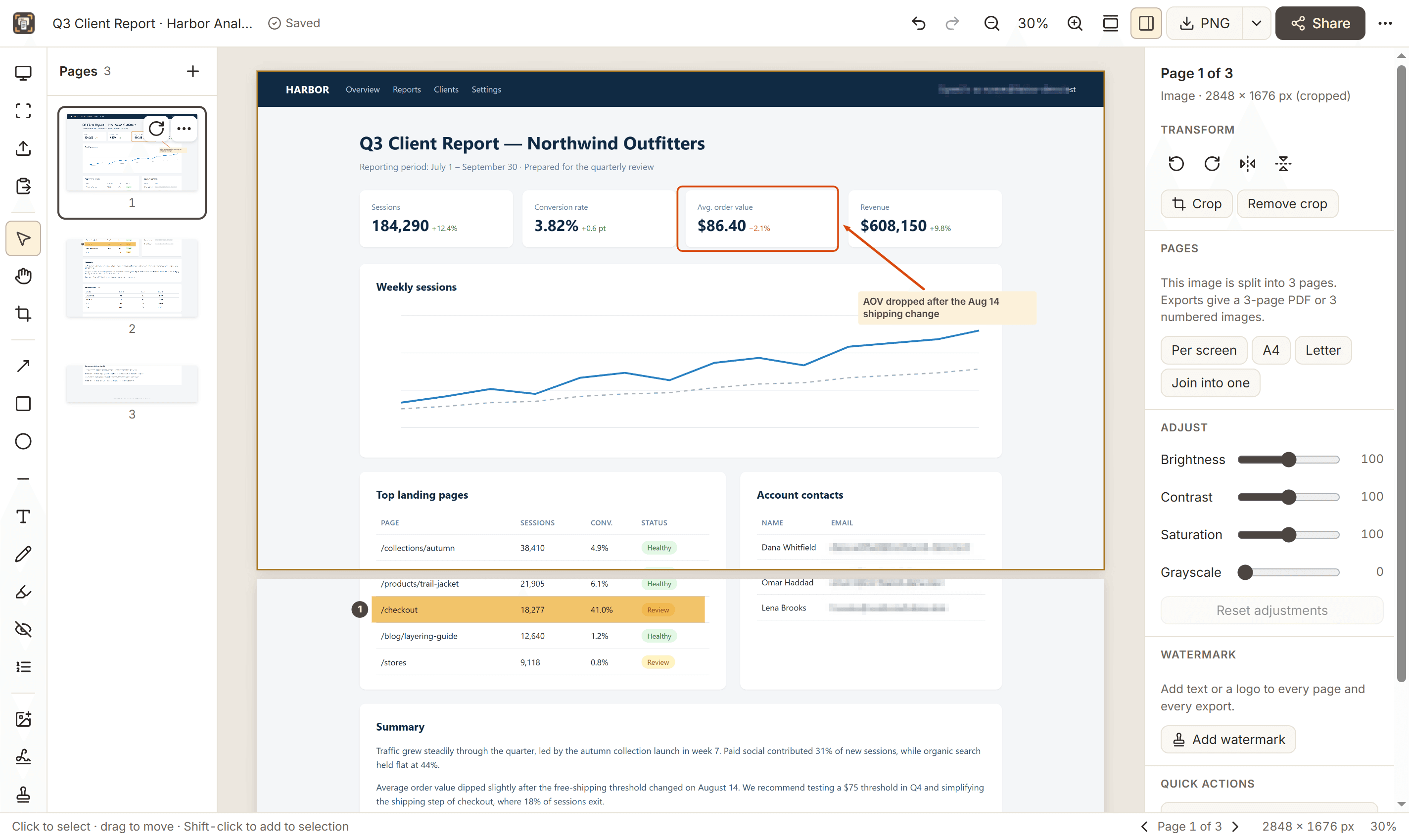
When exporting PDFs, pages that contain redactions are flattened into images, so hidden text can’t be selected or copied. Inside your own Capurize project the redaction stays editable, which is why you should share the exported file, not the project file.
Which method to choose
- Solid: strongest. Nothing of the original remains. Best for passwords, IDs and financial data.
- Pixelate: keeps the layout readable while hiding content. Use a strong setting for short text.
- Blur: looks natural; use a high strength for anything sensitive.
Checklist before you share
- Zoom in on the export and check every redacted area.
- Look for the same information elsewhere: page titles, URLs, browser tabs, notifications.
- Check the file name, which may include the page title.
- Share the exported PNG or PDF, not the editable project.