Updated October 28, 2026 · 5 min read
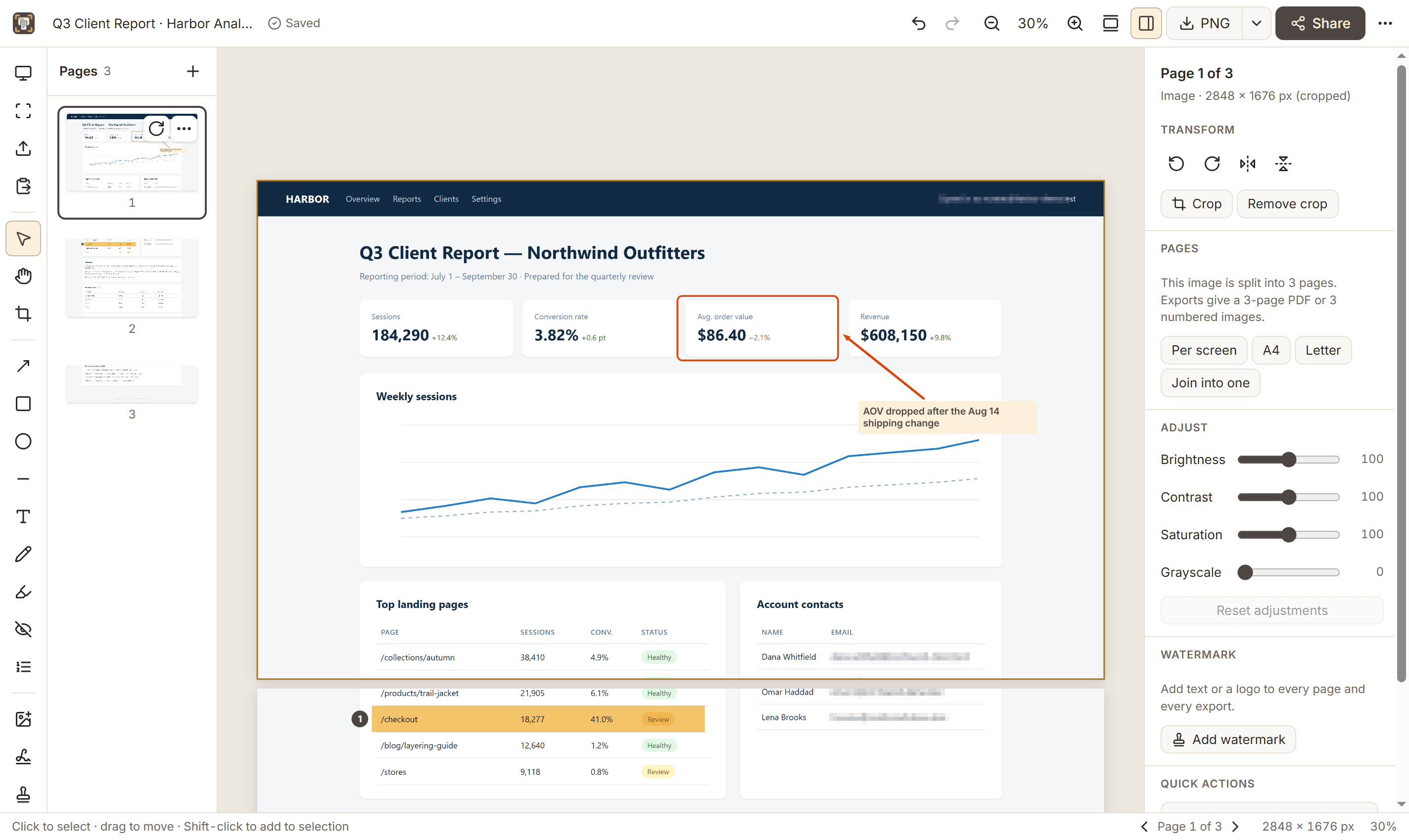
A good bug report shows exactly where the problem is, in context. Full-page captures with numbered markers do that better than a paragraph of description.
A simple QA workflow
- Reproduce the issue, then capture the full page (Alt+Shift+P) so the context around the problem is included.
- Use Numbered step (N) to mark each issue in the order it should be fixed.
- Add an arrow (A) and a short text note (T) for anything that isn’t obvious.
- Highlight (M) the exact row, value or sentence that is wrong.
- Redact any customer or account data before sharing.
- Export a PDF for the whole report, or copy a single page straight into your issue tracker.
Tips that save time
- Set a file-name pattern in Options, such as {domain}_{date}_{time}, so captures sort themselves.
- Capture the same page at different window sizes to check responsive layouts.
- Number issues in one capture rather than sending many separate screenshots.