Features
Capture, annotate, redact, export
Capurize covers the whole screenshot workflow in one place, and it all runs locally in your browser.
Capture
Four ways to capture
- Full page
- Scrolls the page and stitches every screen into one image. Sticky headers appear once, not on every screen.
- Visible area
- Exactly what is on screen right now.
- Select region
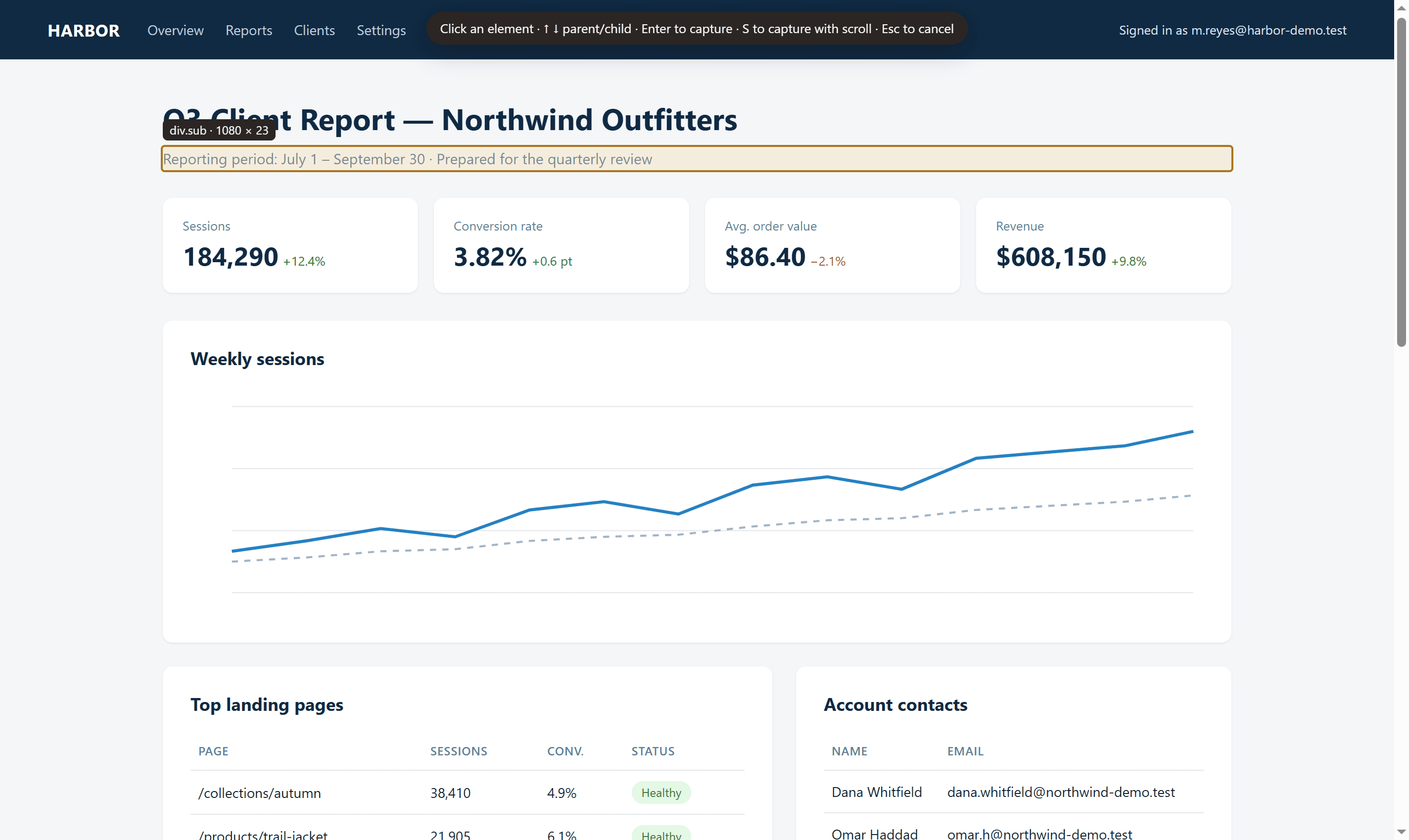
- Drag a box, adjust it, then capture. Press S to also capture everything that scrolls inside it.
- Select element
- Hover to highlight a table, card or section and click to capture all of it, even if it is taller than the screen.
Studio
Annotate without leaving the browser
- Arrows, lines and shapes
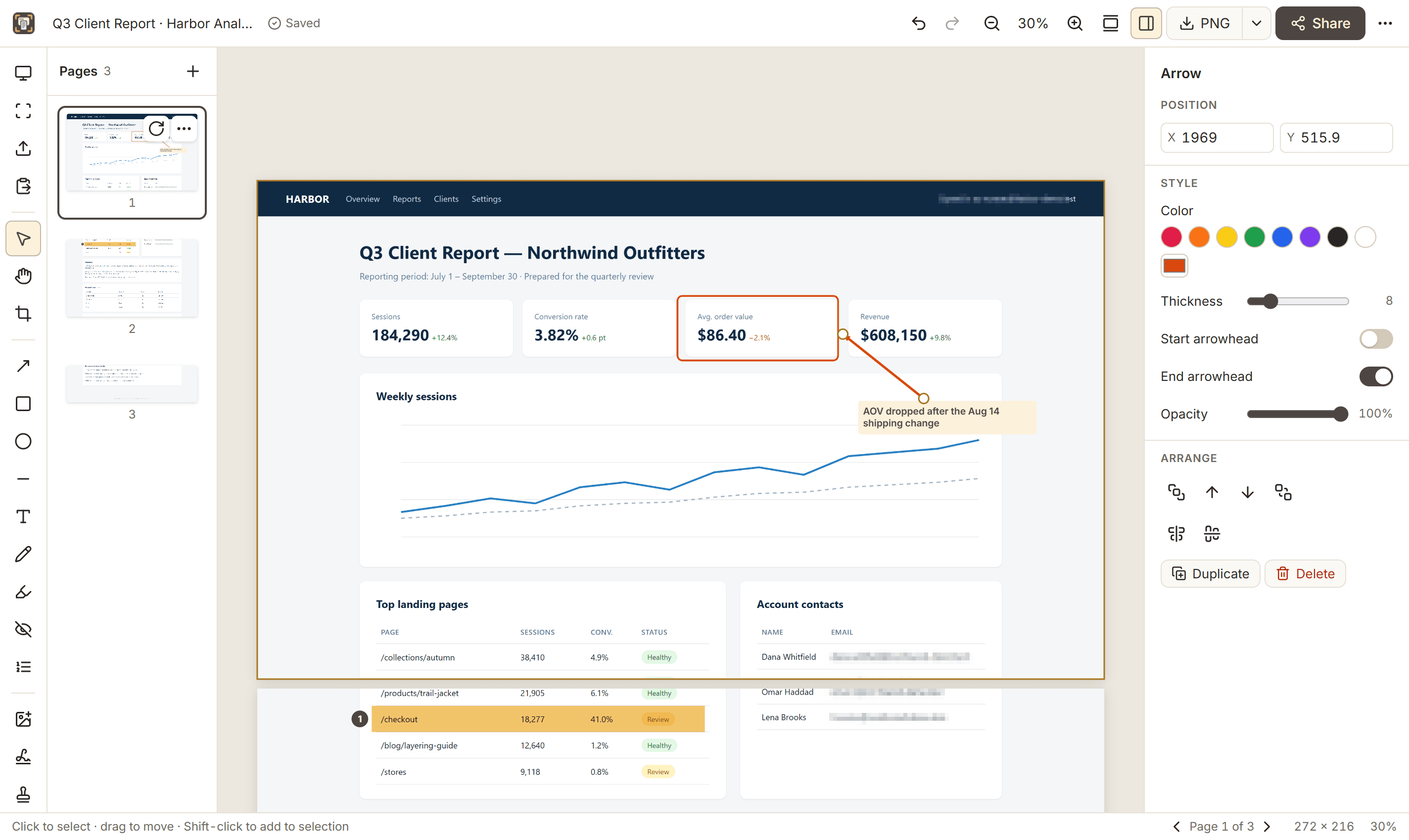
- Rectangles, ellipses and arrows with adjustable colour, thickness and corners.
- Text and callouts
- Editable text with background colour, alignment and font options.
- Highlights and numbered steps
- Highlight rows or sentences and number issues in the order to fix them.
- Crop, rotate and adjust
- Non-destructive crop, rotation, flips and brightness/contrast. The original capture is always kept.
- Undo, redo and autosave
- Every change can be undone, and projects save themselves as you work.
Export
The right file for every audience
- PNG, JPEG and WebP
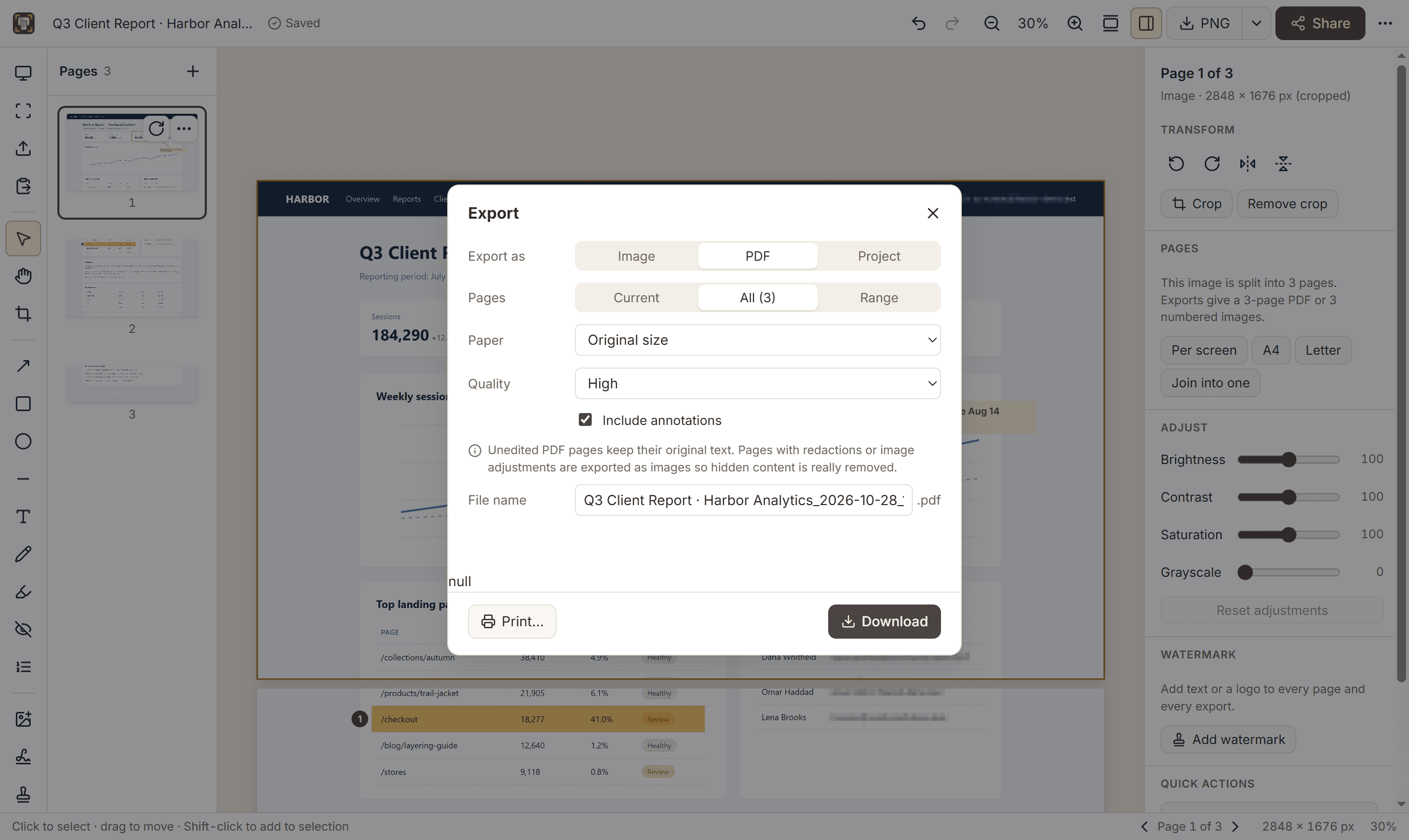
- With quality and size options. Multi-page projects export as numbered files.
- Multi-page PDF
- Original size or A4, Letter, Legal and A3, with margins and cuts placed between lines of text.
- Copy to clipboard
- Paste straight into chat, email, documents or issue trackers.
- Share hand-offs
- Open a prefilled email draft or WhatsApp Web, or use your system share sheet where available.
Redaction that holds up
Blur, pixelate and solid redactions are written into the exported pixels. In PDFs, pages with redactions are flattened so hidden text cannot be selected or copied. Learn more.
Watermarks
Text or logo, centred, tiled or in a corner, applied to every page and export. Learn more.
Which format?
PNG for interfaces and text, JPEG for photo-heavy pages, WebP for the web, PDF for long pages and printing. Compare formats.
Private and offline
No account and no servers involved in capturing or editing. Projects live in your browser until you delete them. Privacy policy.